
[zmNinja website](http://pliablepixels.github.io)
zmNinja is a multi platform (iOS, Android, Windows Desktop, Mac Desktop, Linux Desktop) client for ZoneMinder users.
[ZoneMinder](http://www.zoneminder.com) is an incredible open source camera monitoring system and is used
by many for home and commercial security monitoring.

 **Problems running zmNinja? Check out the [FAQ](https://github.com/pliablepixels/zmNinja/wiki/FAQ)**
Video Demo
-------------
Check out a video demo of zmNinja here: https://youtu.be/prtA_mv68Ok
Mobile Platforms
---------------------------
zmNinja is stable as of today and runs on a variety of Android and iOS platforms.
See links above to get them on play store (Android) and app store (iOS)
It also runs on the desktop (see below)
Desktop Platforms
-----------------
Please download binaries for Win 7, Linux or Mac from [here](https://github.com/pliablepixels/zmNinja/releases).
Please make sure you download the correct ZIP file (32/64 bit)
Key Features (just watch the video already)
--------------------------------------------
* Push Notifications for alarms (Needs the [eventserver](https://github.com/pliablepixels/zmeventserver) to be set up)
* Multiple languages (English, French, German, Spanish, Portugese, Dutch, and more)
* H264 video branch support
* live views of monitors
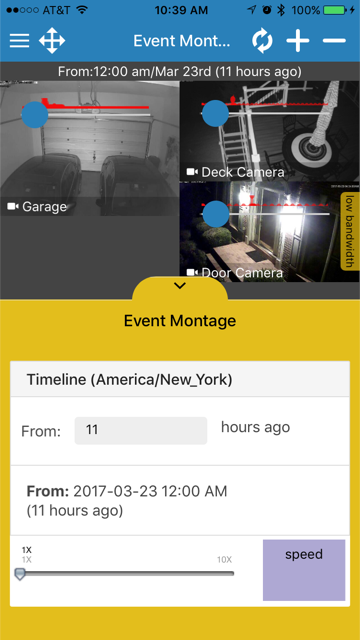
* Montage view (with multiple montage profile settings/sizes)
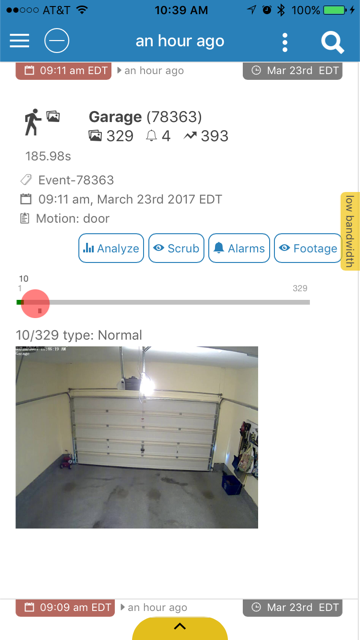
* Events history and list
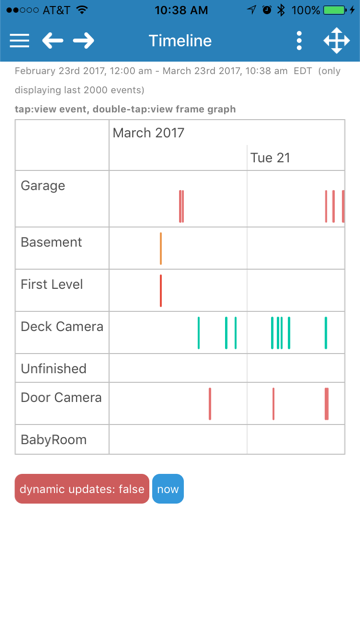
* Timeline view
* Camera pan/tilt/zoom (needs to have ZM support it first)
Thanks
------
To the zonemider community in general, and the awesome Stack Overflow community.
But specifically, [Andrew Bauer](https://github.com/knnniggett) (knnniggett) - he is a ZoneMinder maintainer and
helped me significantly in getting into ZoneMinder and also continues to help
me with my client goals.
Important Notes
---------------
* zmNinja needs APIs enabled in ZoneMinder. See https://github.com/pliablepixels/zmNinja/wiki/Configuring-ZoneMinder-with-API
Objective
----------
I wanted to learn how to write a mobile app. It was (and is) fun.
Running from source
----------------------
Please follow [these](https://github.com/pliablepixels/zmNinja/wiki/Running-zmNinja-from-Source) instructions.
Screenshots:
------------



**Problems running zmNinja? Check out the [FAQ](https://github.com/pliablepixels/zmNinja/wiki/FAQ)**
Video Demo
-------------
Check out a video demo of zmNinja here: https://youtu.be/prtA_mv68Ok
Mobile Platforms
---------------------------
zmNinja is stable as of today and runs on a variety of Android and iOS platforms.
See links above to get them on play store (Android) and app store (iOS)
It also runs on the desktop (see below)
Desktop Platforms
-----------------
Please download binaries for Win 7, Linux or Mac from [here](https://github.com/pliablepixels/zmNinja/releases).
Please make sure you download the correct ZIP file (32/64 bit)
Key Features (just watch the video already)
--------------------------------------------
* Push Notifications for alarms (Needs the [eventserver](https://github.com/pliablepixels/zmeventserver) to be set up)
* Multiple languages (English, French, German, Spanish, Portugese, Dutch, and more)
* H264 video branch support
* live views of monitors
* Montage view (with multiple montage profile settings/sizes)
* Events history and list
* Timeline view
* Camera pan/tilt/zoom (needs to have ZM support it first)
Thanks
------
To the zonemider community in general, and the awesome Stack Overflow community.
But specifically, [Andrew Bauer](https://github.com/knnniggett) (knnniggett) - he is a ZoneMinder maintainer and
helped me significantly in getting into ZoneMinder and also continues to help
me with my client goals.
Important Notes
---------------
* zmNinja needs APIs enabled in ZoneMinder. See https://github.com/pliablepixels/zmNinja/wiki/Configuring-ZoneMinder-with-API
Objective
----------
I wanted to learn how to write a mobile app. It was (and is) fun.
Running from source
----------------------
Please follow [these](https://github.com/pliablepixels/zmNinja/wiki/Running-zmNinja-from-Source) instructions.
Screenshots:
------------





